Grant management and fund raising often involve a lot of work behind the scenes. From researching opportunities, preparing proposals, tracking deadlines, and collecting updates to creating reports, all these activities take just as much time and effort as funding activities do.
Microsoft Copilot is helping Nonprofit teams spend less time on such tasks. For instance, organizations are finding more practical ways to use Copilot across their day-to-day operations such as grant research, proposal development, and donor communications. In fact, Microsoft identifies grant research, proposal writing, grant reporting, fundraising support, and donor relations as significant nonprofit scenarios for Copilot.
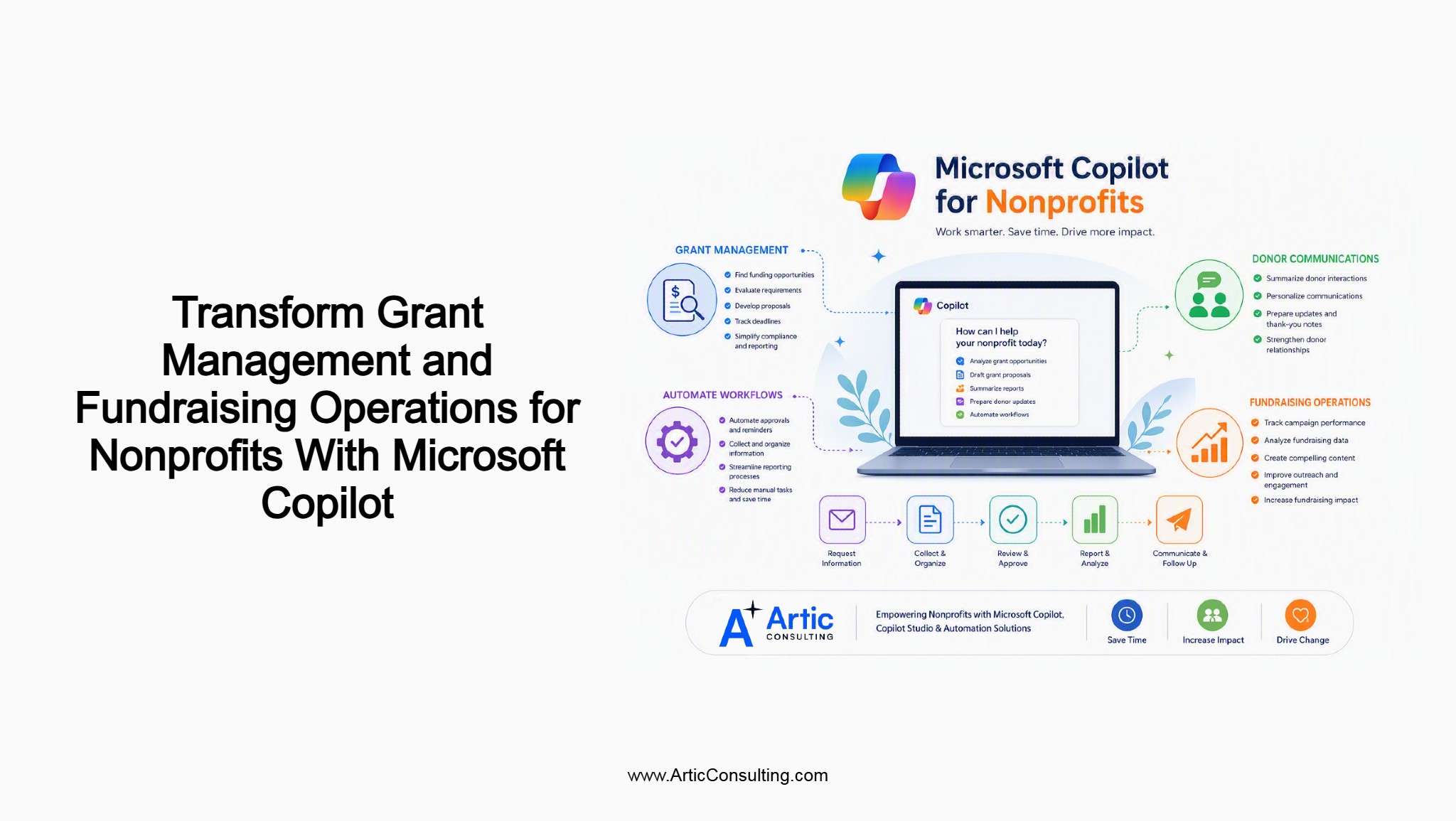
Here are a few ways Microsoft Copilot for nonprofits can help simplify grant management system and fundraising activities:
1. Finding and Evaluating Funding Opportunities More Efficiently
Some grant opportunities are an obvious fit. Most are not. From what we have seen as a business consulting company at Artic, nonprofits often review several opportunities before deciding where to invest their time. In some cases, the decision is straightforward. In others, teams may need to review several documents before they have a clear answer.
Funding research is one area where nonprofit organizations are beginning to use Microsoft Copilot. It is also one of the nonprofit scenarios highlighted by Microsoft.
Most of the time, when nonprofit teams review grant opportunities, they find the information scattered across multiple documents and sources. Now, teams can use Microsoft Copilot to review the same information, compare requirements, and gather details that are required for internal discussions before an application is filled.
Here the goal is pretty simple: understand the grant opportunity, properly review the requirements, and decide wisely whether it makes sense to move forward.
2. Accelerating Grant Proposal Development
Writing a grant proposal usually means pulling information from different places. Program details may come from one team, budget information from another, and supporting data from reports, presentations, or previous applications.
A lot of organizations already have the information they need. The challenge is finding it and bringing it together when a new opportunity comes along.
Microsoft highlights grant proposal development as a practical use case for Copilot in nonprofit organizations.
Instead of starting from scratch, teams can use Copilot to review existing documents, locate relevant information, and pull together content that may already exist across the organization. Previous proposals, program updates, annual reports, and other internal documents can become useful reference points during the application process.
That doesn’t mean every proposal writes itself. It simply means less time is spent hunting for information and more time can be spent shaping a stronger application.
3. Simplifying Grant Tracking, Reporting, and Compliance
Winning a grant doesn’t reduce the work. In many cases, it creates a new set of responsibilities.
Deadlines have to be met. Program updates need to be collected. Funders expect regular reporting. Teams also need to keep records of outcomes, spending, and activities throughout the grant period.
The information needed for reporting is rarely created in a single place. Some of it may come from project updates. Other details may come from meetings, spreadsheets, emails, or financial records. Bringing everything together can take time, especially when reporting deadlines are approaching.
This is one reason many organizations consider grant management solutions for nonprofits as they look for better ways to organize information and track grant-related activities.
Copilot can help nonprofits work with information that already exists across the organization. Rather than searching through multiple files and updates, teams can review relevant information, gather reporting details, and keep track of grant-related activities more easily.
4. Strengthening Donor Engagement and Fundraising Activities
Fundraising teams work with a large amount of information throughout the year. Campaign results, donor conversations, meeting notes, program updates, event details, and reporting data all become part of ongoing donor communications.
Microsoft also highlights donor relations and fundraising activities among nonprofit Copilot scenarios.
When preparing donor updates or reviewing fundraising activities, staff often need information from several different sources. Some of it may be stored in reports. Other details may sit in emails, documents, meeting notes, or fundraising records.
Copilot can be used to review and work with information that already exists across the organization. This can be useful when preparing donor communications, reviewing previous interactions, or gathering details related to fundraising activities.
5. Automating Everyday Nonprofit Operations
Some nonprofit activities happen repeatedly throughout the year such as reporting reminders are sent, documents are reviewed, approvals are requested, and information is collected before reports can be completed. Follow-up activities are often needed after meetings, donor conversations, or funding updates.
These tasks are not complicated, but they are definitely recurring.
Microsoft Copilot can be used alongside automation tools to support some of these activities. For example, organizations may use automation for reminders, approvals, document handling, or information requests that follow the same process each time.
Many nonprofits already have established ways of working. Automation is often applied to the repetitive steps within those processes rather than changing the process itself. So many organizations view this as a practical first step toward nonprofit automation.
Useful Read: Stop Losing Funding: Grant Management Best Practices Every Nonprofit Needs
From Copilot to Custom AI Agents
Most nonprofit teams start with relatively simple uses of Microsoft Copilot. They use it to summarize a meeting, review a document, or pull together information for a report.
Then something interesting happens. People start asking different questions.
Instead of “Can Copilot help me write this?” the question becomes “Can I get this information without digging through ten different files?”
For some organizations, that might be grant information. For others, it could be volunteer schedules, donor updates, onboarding documents, reporting requirements, or internal policies.
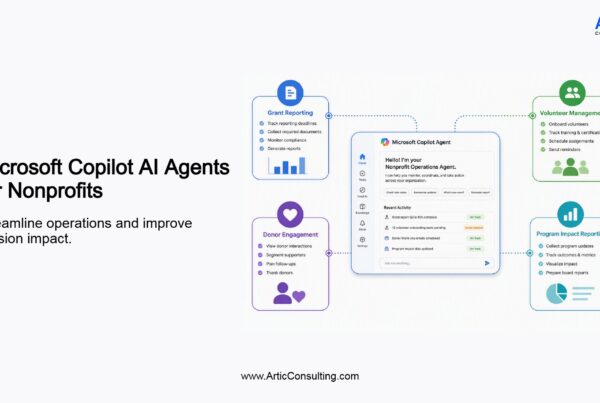
This is where Microsoft Copilot Studio starts getting attention. It gives nonprofits a way to create custom AI agents around information they already have.
For example, a volunteer may need information about an upcoming event. A staff member may need to check reporting requirements for an active grant. Someone working in a program team may be looking for details about a service or initiative. In many organizations, that information already exists somewhere. The problem is usually finding it.
Rather than searching through documents, emails, spreadsheets, and multiple systems, people can ask a question and get the information they’re looking for.
The use cases will vary from one nonprofit to another, but the idea stays the same. A lot of time is spent looking for information that already exists. Copilot Studio gives organizations another way to make that information easier to access.
Exploring Microsoft Copilot for nonprofits?
Artic Consulting helps nonprofit organizations apply Microsoft Copilot, Copilot Studio, and automation to real operational challenges, from grant management and reporting to fundraising and donor engagement.
FAQs
1. Do we need to completely change our grant management process to use Copilot?
Usually not. Most teams start small. A proposal here, a report there, maybe some funding research. They figure out what works before expanding into other areas.
2. Can Copilot help if our grant information is spread across multiple files and systems?
That’s actually a fairly common situation. Grant information often ends up across emails, reports, spreadsheets, meeting notes, and shared folders. Copilot can work with information that’s already there.
3. Is Copilot only useful during the proposal writing stage?
Not from what we’ve seen. Proposal writing gets a lot of attention, but nonprofits are also using it when researching opportunities, reviewing reporting information, and preparing donor communications.
4. What role does Copilot Studio play in nonprofit operations?
Think of Copilot Studio as a way to create custom experiences around the information your organization already has. Different nonprofits use it differently depending on their needs.
5. Can fundraising teams use Copilot without changing how they currently work?
Yes. Most teams are not replacing their existing process. They are simply looking for places where information is easier to find or routine tasks require less effort.
6. How are nonprofits using Copilot Studio differently from Microsoft Copilot?
Microsoft Copilot is often used by individuals. Copilot Studio is usually about creating something that other people can use, whether that’s staff, volunteers, donors, or program teams.
7. What types of nonprofit teams can benefit from Microsoft Copilot?
There isn’t one answer. It depends on where information is being used. Grant managers, fundraising teams, finance teams, program staff, and leadership teams may all find different uses for it.
Table of contents
- Overview
- Ways Microsoft Copilot Helps Nonprofits
- From Copilot to Custom AI Agents
- FAQs
Get started
Ready to level-up your business?

Amit Giri has 14 years of experience helping organizations navigate technology decisions and align solutions with business goals. His interests include artificial intelligence, Microsoft technologies, cloud solutions, data analytics, digital transformation, and process improvement. Through Artic Insights, Amit shares practical perspectives on using technology to solve real-world business challenges and create lasting value.